
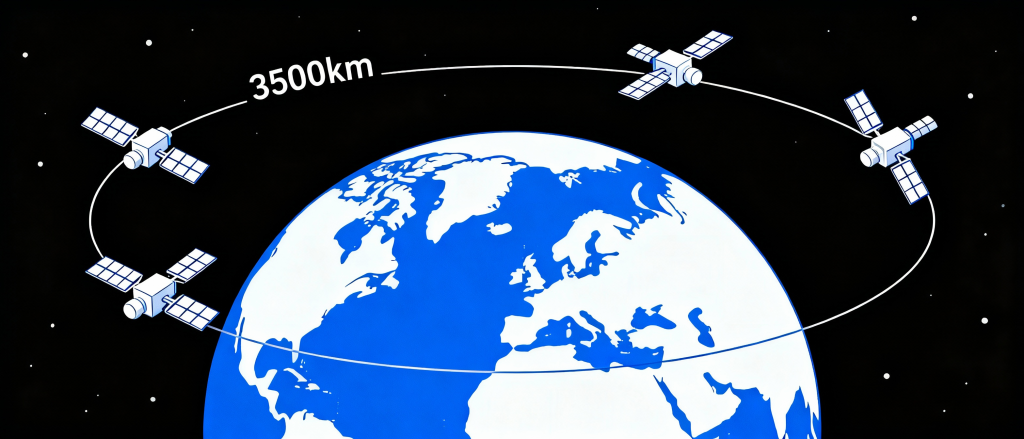
Update: 20 August 2025 – the following changes are planned for 1st or 2nd week Sep.2025:
* New SIMs, APN to be used is changed from “iot.sat” to “iot”.
* Band change from B3 to B7.
* PLMN ID of SpaceX satellite network cells changed from 530 13 to 530 04. As of time of writing this new PLMN ID should have appeared some time in October/November but seems to be delayed. IoT users shall be encouraged to update their application to include search for 530 13 and this new 530 04 PLMN ID. Please check directly with OneNZ as to which PLMN ID is in use for SpaceX service.
New EG800Q-EU, simpler data-only module undergoing OneNZ approval testing.
————————————————————-
Module: EG21GGB:
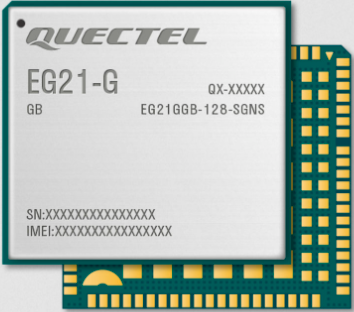
Ordering Code:
- EG21GGB-128-SGNS for the standard module LGA package version
- EG21GGB-MINIPCIE for the standard module miniPCIe package version
Documentation:
Windows USB Driver:
- Quectel_LTE&5G_Windows_USB_Driver_V2.2.4.zip //required for FW upgrade.
Quectel Windows serial terminal QCom
optional, you can use puTTY or terraterm etc. if you are used to that):
FW to load for One.NZ (AT+QGMR to read the full version):
- EG21GGBR07A11M1G_BETA250826_30.203.30.203 // this contains the One.NZ MBN file.
- FW upgrade tool, Windows App: QFlash_V7.3_EN.zip,
- For Linux: QFirehose_Linux_and_Android_V1.4.21.zip
After the FW is loaded and booted up with the One.NZ SIM in place, the command should show the following response:
AT+QMBNCFG=”list”
:
:
+QMBNCFG: “List”,23,1,1,”OneNZ_VoLTE”,0x0580EE01,202411081 // the 1,1 indicates that this config is active. See the software IMS application note for more details of this command.
Note: AT+QMBNCFG not applicable for EG800Q-EU.
================================
Some Configuration AT commands for testing:
Note, the One.NZ SIM allows network service to both the terrestrial (network ID MCC-MNC=53001) and SpaceX satellites (network ID MCC-MNC=53004 and 53013). If there is no terrestrial available, then it shall search for satellite service. Both networks are present in LTE band B7.
AT+CEREG=2 //Enable URC to indicate change in network registration status.
AT+QFPLMNCFG=”add”,”53001″ //for initial testing of satellite access, then put terrestrial ID into the forbidden network list (FPLMN). For later deployment then do not use this if you wish to access terrestrial One.NZ service (not applicable for EG800Q).
AT+QFPLMNCFG=”list” // print out the FPLMN list to check.
AT+QCFG=”nwscanmode”,3,1 // lock to LTE only
AT+QCFG=”servicedomain”,1,1 //lock to PS service only
AT+QCFG=”band”,bff,44,0 // Enable both band B3,B7 (SpaceX moving B3->B7 in September 2025) . For later deployment you may wish to access other bands of terrestrial One.NZ – see Note 2 below.
(or for EG800Q: AT+QCFG=”bands”,bff,44)
These AT commands above are persistent across power-cycles and only need to be executed once. To save module flash wear due to write cycles, suggest to read the setting first and only write if needed.
AT+COPS=1,2,”53013” // 53004 if this is available. Manual network selection of satellite network only. Give it a minute for the network scan to coincide with a satellite flying into range. For later deployment you may wish to set AT+COPS=0 instead for automatic connection to terrestrial network if available.
If you are having issues getting a satellite connection, then try:
AT+COPS=? // scan for and list all detected networks. It may take a minute or two to scan all available networks and detect if there is satellite (53004 or 53013). Try a few times in case need to wait for next satellite to fly into range. If this fails to find SpaceX, this is not unusual in metro areas but detection of other networks is useful to verify the module HW is working i.e. antenna is connected ok etc.
Remember to test outside in open sky conditions to maximise the chance of direct connection to satellite that may take minutes to fly into range.
- Note 1 – the satellite may be only in range for a minute or less at a time, so your application needs to be tolerant of unstable breaking data connection.
- Note2 – One.NZ terrestrial LTE network uses bands B1,3,7,28.
AT+QCFG=”bands”,bff,8000045,0 // To be able to also connect to all the terrestrial LTE bands
(or for EG800Q: AT+QCFG=”bands”,bff,8000045)
Other useful commands for cells and signal strength info:
AT+QCSQ – print out all the LTE signal strength parameters
EC2X_BG9X_ATC_AT+QCSQ.PDF
AT+QENG
Quectel_EC2x&EG2x&EG9x&EM05_Series_QuecCell_Application_Note_V1.1.pdf
AT+QOPS – in the EG21-G AT command manual, scan and list all the detected cells from each MNO. (EG800Q does not support the AT+QOPSCFG commands.)
================================
Note at this time of update, the only module approved for One.NZ SpaceX is the module above: i.e. EG21GGB. If at some later date this EG21GLGD (data-only, lower cost) is approved:
Alternative FW for later design that shall use the Data-Only module: EG21-GLGD-128-SGNS
or the miniPCIe version that may have a SIM holder (-S) on the back EG21GLGD-MINIPCIE(-S)
EG21GLGDR07A03M1G_BETA250826_A0.300.A0.300
————————————————————–
Module EG800Q-EU
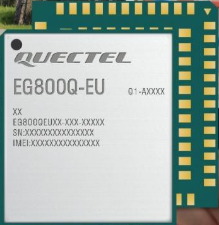
This module is data only (no SMS or Voice support), in the process of being testing on SpaceX.
Ordering Code:
- EG800QEULC-N03-S2DC
- (Deprecated for D2C: EG800QEULC-N03-SNNSA)
Documentation:
USB Driver:
FW version:
- EG800QEULCR01A11M04_BETA20260122_SD2C for the latest D2C module, BETA version until the official release version due in March 2026.
- EQ800QUELCR01A01M04_BETA20251106_A0.001.A0.001 for the deprecated D2C module.
- FW upgrade tool is the same as for the previous EG21GGB, but procedure is bit different.
FW update EG800Q, instructions.
Screen capture of upgrade by UART.
AT commands for setup is the same as for EG21GGB module above (except no QFPLMN, QMBNCFG commands).
————————————————————–
General Notes:
- For initial testing, city areas such as Auckland Metro area has good terrestrial One.NZ coverage so partly due to the noise floor being a bit higher, it’s not as easy to test connection to SpaceX. Driving out of normal Metro terrestrial coverage to country areas, users report that it’s easier to connect to SpaceX with just the normal diapole type antenna e.g. the Quectel development kit standard antenna.
- The initial SpaceX testing stage is good for testing your application works well with this satellite connection. After this in deployment you may wish to enable the normal automatic network selection mode where the module can connect to terrestrial (first priority) or satellite depending on network coverage and availability. In this case do not configure the module with the AT commands above that force it to satellite as mentioned above (see the “for later deployment” comments).
- Power consumption shall be higher to the SpaceX satellites compared to terrestrial. Generally for weaker signal scenarios, the RF TX shall be higher during active communication closer to Max. current specified in the HW manual, to make up for the longer distance to the satellite cell.
- Previously to September 2024 changover the frequency band was B3 and PLMN ID was 530 013. Please check directly with One.NZ for possibility to use B7 and/or PLMN ID 530 04.
————————————————————–
New Quectel Module Variants for SpaceX
New modules designed for D2C (direct to cell). New HW and FW for these modules shall have the latest optimisations for D2C as well as being compatible with the terrestrial services in the same manner as the versions from which they are derived. Note – these are not available yet!
Update: 9 January 2026:
EG800QEULC-N03-SD2C – LGA
– FW: EG800QEULCR01A11M04_SD2C_A0.300.A0.300 – not available yet. See above for interim BETA FW.
EG916QGLLC-N03-SD2C – LGA
– FW: EG916QGLLGR01A05M04_BETA20250809_SD2C – for initial testing only
EG21GGB-128-SD2C – LGA
– FW: EG21GGBR07A11_SD2C_A0.300.A0.300 – not released yet
EG21GGBMINIPCIE-SD2C – miniPCIe
EG21GGBTEA-128-SD2C – LGA TE-A for development kit